Tree View
Tree View is a view that graphically represents the network hierarchy of the devices monitored in WOCU-Monitoring, displaying their parent-child dependencies via an interactive graph.
These relationships make it possible to identify which devices rely on others to maintain their connectivity and to determine how the failure of a network element might affect the devices downstream.
This feature is available from two locations:
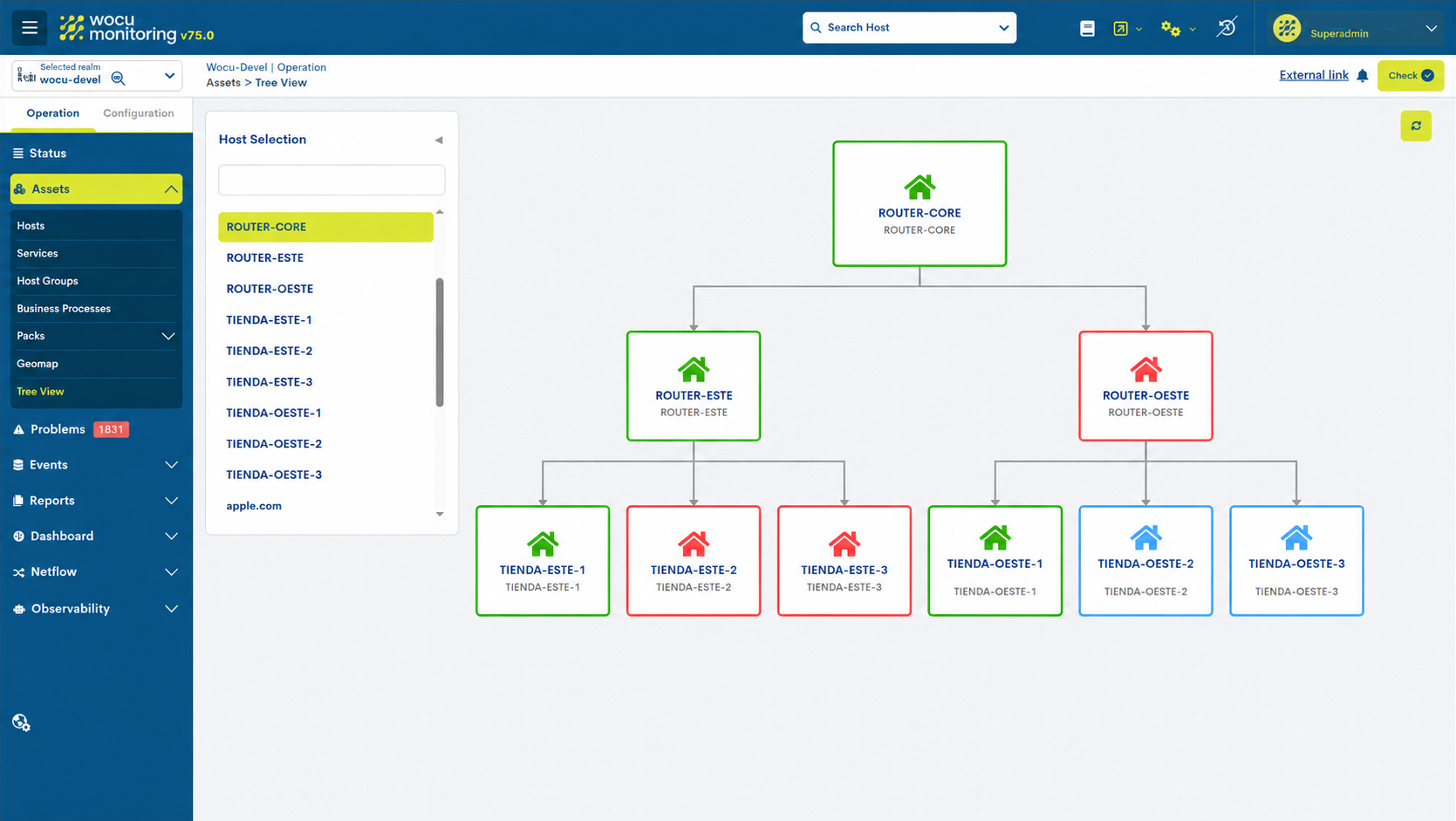
Assets > Tree View: allows you to select a device from the Kingdom and view its network hierarchy, exploring the dependency relationships with other monitored elements.
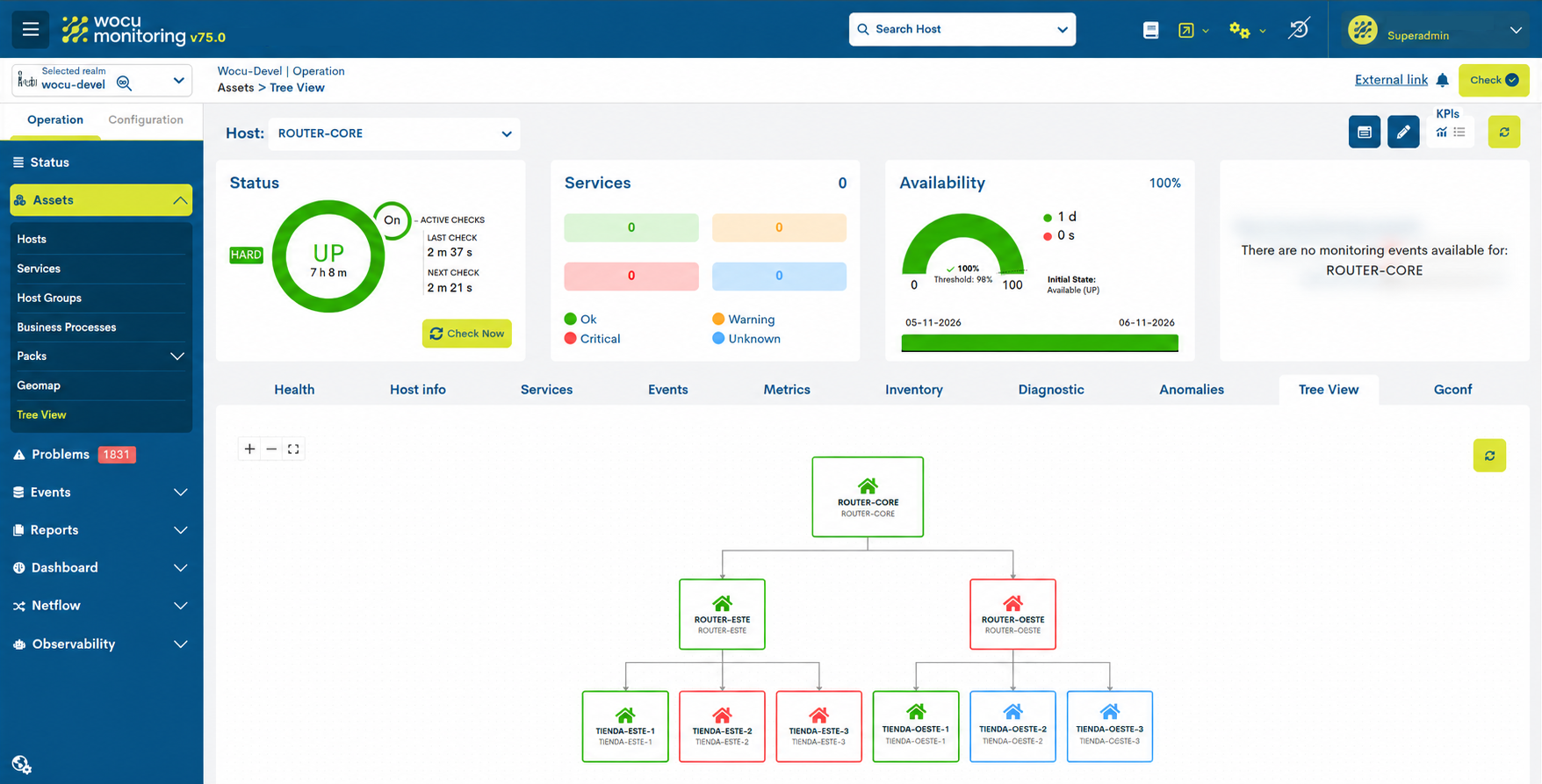
Device detail view > Tree View: directly displays the hierarchical tree for the selected device, without the need to make a selection first.
What is it for?
This view allows you to explore the hierarchical topology of the network and understand the connectivity dependencies between the monitored devices.
Its main purpose is to make it easier to identify network devices whose unavailability could affect other dependent components, such as routers, switches, firewalls or servers.
Defining parent-child relationships also enables WOCU-Monitoring to distinguish between a device that has experienced an outage itself and one that has become inaccessible as a result of an outage affecting a device on which it depends.
This distinction helps to:
Identifying the source of an incident: pinpointing the device whose failure is causing other network components to lose connectivity.
Streamline incident resolution: access information on related devices directly to investigate the problem.
Reducing duplicate notifications: preventing a single connectivity issue from triggering multiple separate alerts for all affected devices.
Facilitate impact analysis: visualise which devices may be affected by the unavailability of an element at a higher level in the hierarchy.
How does it work?
Preliminary settings
The hierarchy is built using dependency relationships between devices, utilising the concept of ‘parents’ supported by the system. This attribute is configured in advance in the Hierarchy section of the Host registration form from the Hosts view in Monitored Assets.

In the Tree View of the desired Kingdom, the Host selection tool displays a list of devices with parent-child hierarchical relationships. Use the search bar to search by name or display name. Scroll through the list to load more results.
When you select a specific device, a graph is generated showing its position within the network hierarchy and its connectivity dependencies. Use the graph controls to adjust the zoom level or fit the display to the visible area.
The selected device occupies the central node of the graph, whilst the parent devices are situated on the upper levels and the child devices on the lower levels, connected by lines that indicate their dependency relationships.
Furthermore, the colours of the devices (nodes) correspond to the monitoring status of each device:
UP: green. The device is operational.
DOWN: red. The device is not available.
UNREACHABLE: blue. The device is inaccessible.
PENDING: grey. The status of the device is yet to be determined.
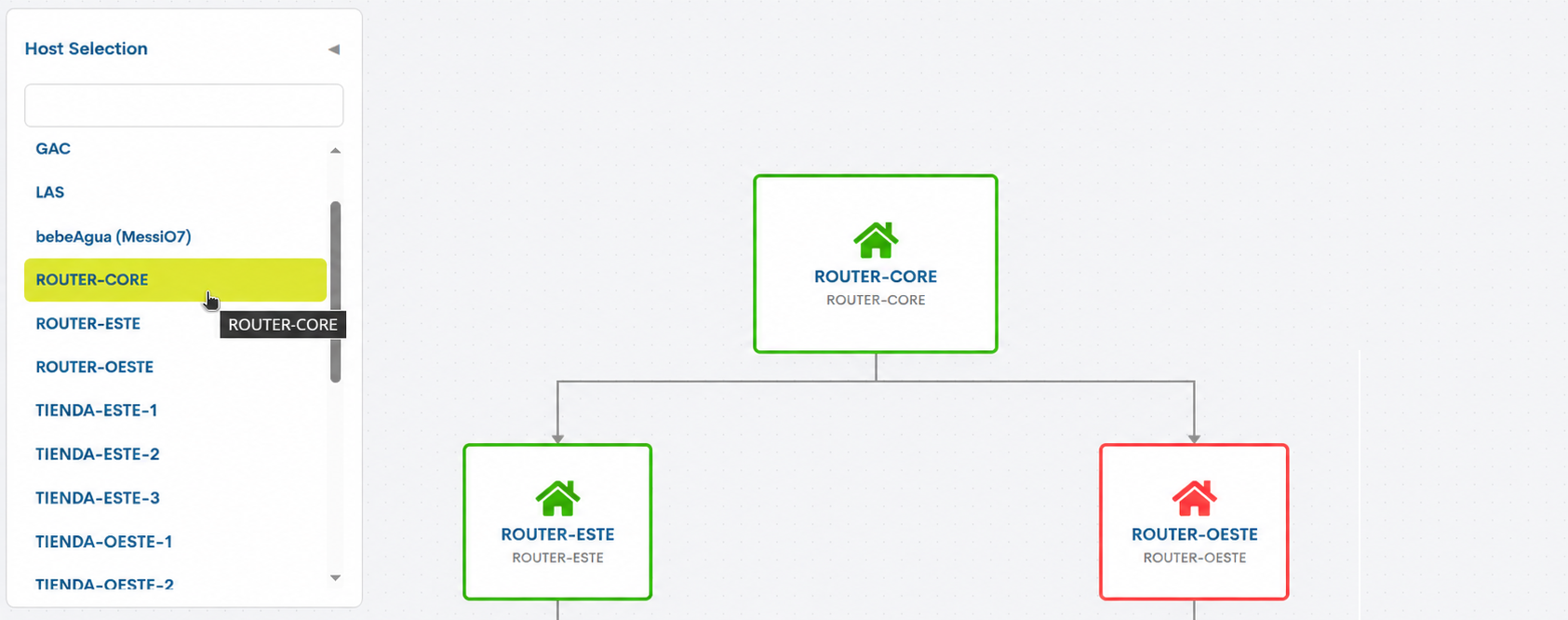
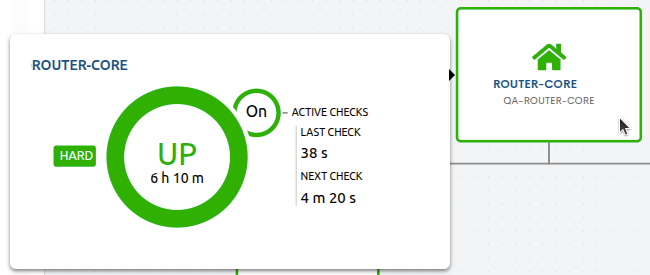
Each node shows the display name (if available) of the device and its configuration name. When you hover the cursor over it, a pop-up window appears with detailed information on the device’s monitoring status. This window shows the Device’s name, its availability status (UP, DOWN, UNREACHABLE or PENDING), the duration it has been in that status, and the status type (HARD or SOFT). It also includes information on the execution of active checks (Active Checks), indicating whether they are enabled, the time elapsed since the last check (Last Check) and the time remaining until the next one (Next Check).
Dependency relationships and monitoring statuses
Parent-child relationships enable WOCU-Monitoring to determine whether a device is down or whether it is inaccessible due to the unavailability of other devices on the network.
Example of a network hierarchy
Consider the following topology:
Router Principal
|
+-- Switch 1
|   +-- Servidor 1
|   +-- Servidor 2
|
+-- Switch 2
    +-- Servidor 3
In this configuration:
The Main Router acts as the parent device for Switch 1 and Switch 2.
Switch 1 is the parent of Server 1 and Server 2.
Switch 2 is the parent of Server 3.
If the primary router becomes unavailable and is the only route providing connectivity to the dependent devices, the expected behaviour is as follows:
The Primary Router has switched to the
DOWNstate.Dependent devices that become inaccessible as a result of this outage are set to the ‘UNREACHABLE’ status.
A notification is generated to indicate that the main router has failed.
Individual problem notifications from child devices in the
UNREACHABLEstate are suppressed.The deletion also applies to devices at lower levels of the hierarchy.
In this way, a connectivity issue affecting multiple devices can be identified via a notification for the device causing the problem, rather than generating a separate notification for each inaccessible device.
When the parent device becomes available again, normal operation of the monitoring checks and notifications for the affected items is restored.
Considerations and limitations
The graph represents connectivity dependency relationships configured in WOCU-Monitoring. It does not necessarily constitute a map of all the physical connections in the network.
Devices with no parent-child relationships are excluded from the selection list in the Kingdom view.
The graph is read-only. You cannot drag the nodes to change their layout, nor can you create or edit connections from this view.